Real-time Infrastructure Monitoring for Operations Teams to Improve Uptime
PulseOps helps operations teams detect issues earlier, maintain uptime, and keep system reliability visible every day.
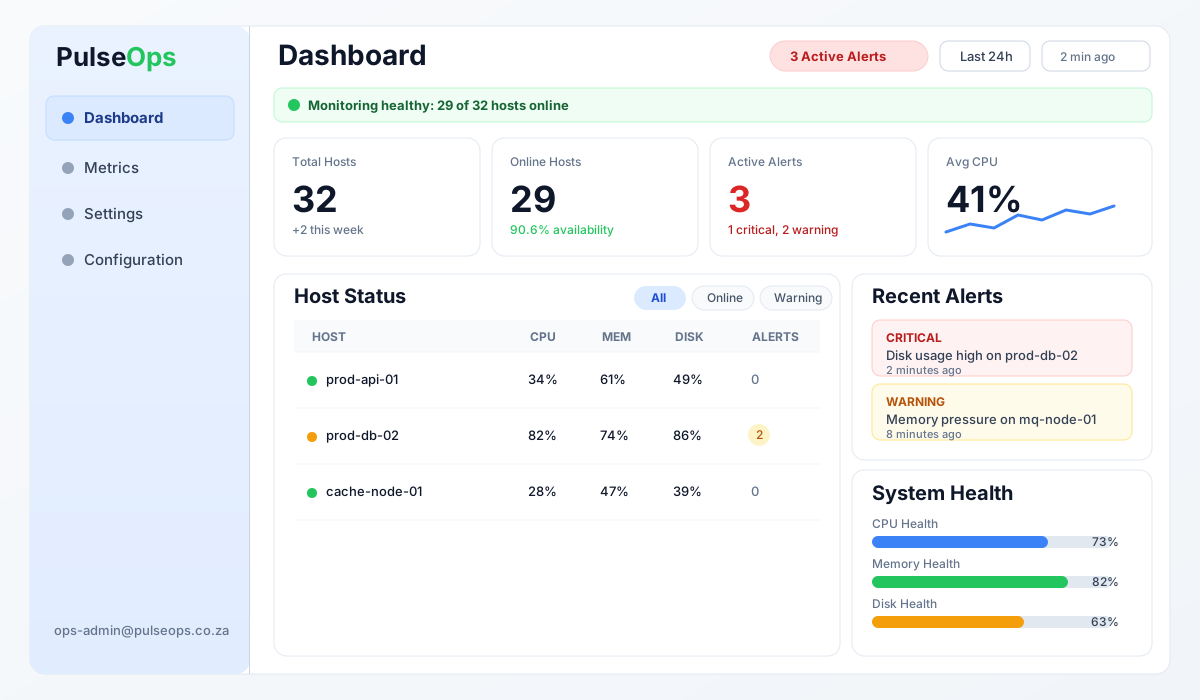
Monitor servers, databases, and services in minutes — no complex setup required.
From Operational Friction to Operational Clarity
PulseOps is built to solve recurring monitoring problems that slow teams down and hide risk.
Problem: Alert Fatigue
Teams are flooded with noisy alerts and miss critical incidents. PulseOps prioritizes severity and context so urgent issues stand out immediately.
Problem: Fragmented Tools
Hosts, services, and incidents are often split across disconnected tools. PulseOps unifies monitoring, alerting, and incident tracking in one platform.
Problem: No Executive Visibility
Leadership needs clear reliability insight without technical dashboards. PulseOps provides concise operational outputs aligned to business outcomes.
Core capabilities
PulseOps covers the core functions needed to run reliable infrastructure operations.
Infrastructure Monitoring
Track host-level health across CPU, memory, disk, and network from a single operational view.
Service Monitoring
Monitor critical services such as databases and messaging platforms alongside infrastructure metrics.
Intelligent Alerting
Use threshold-driven alerts with severity context to focus response on real operational risk.
Incident Lifecycle Tracking
Follow incidents from detection through acknowledgement and resolution with clear ownership.
How PulseOps Works
A simple four-step flow turns infrastructure telemetry into actionable operations.
Step 1 — Agent-based data collection
A lightweight agent runs on each host and collects system and service telemetry continuously.
Step 2 — Metric analysis + thresholds
Incoming metrics are evaluated against configured thresholds to detect abnormal operating conditions.
Step 3 — Alerting + incident tracking
When thresholds are crossed, alerts are raised and tracked through incident response workflow.
Step 4 — Dashboards + reporting
Teams use live dashboards and trend outputs to understand reliability and make faster decisions.
Supported Infrastructure
PulseOps supports core production technologies across databases, messaging systems, and infrastructure environments.
Microsoft ecosystem support (Azure, Windows, SQL Server) is currently in development.
PostgreSQL
Monitor database availability and operational signals across PostgreSQL environments.
MongoDB
Track infrastructure health and operational signals within MongoDB deployments.
MySQL
Gain visibility into MySQL database reliability and performance.
RabbitMQ
Monitor messaging infrastructure and queue health within distributed systems.
Who Uses PulseOps
PulseOps supports technical and operational stakeholders who need reliable systems and clear operational signal.
Infrastructure Teams
Monitor system health, detect incidents quickly, and maintain operational stability across production infrastructure.
DevOps Teams
Gain real-time visibility into infrastructure and service performance to support continuous delivery environments.
Platform Engineering
Provide centralized monitoring capabilities that support internal development teams and shared infrastructure platforms.
Operations Leadership
Understand reliability trends, incident activity, and operational performance through clear reporting.